An AI said something it should not have. What to do tonight
Google’s own page for parents says the quiet part out loud: "Our filters try to limit inappropriate content from appearing, but they’re not perfect. Your child may encounter content you don’t want them to see." So this is a thing that happens to careful families on supervised accounts. Here is the order to do things in — the device, then the record, then the report, then the one decision that actually matters — and the point at which this page stops and hands you to somebody qualified.
First: this is not evidence you did something wrong
The instinct in the first five minutes is to work out what you missed. Usually the answer is nothing. Google’s For Families page — read 31 October 2026, and it is their page, not a critic’s — tells parents setting up a supervised account that filters "are not perfect" and that a child "may encounter content you don’t want them to see". A vendor writes that sentence because the residual case is real and they are not able to engineer it to zero.
That reframing is worth ten minutes of your evening, because the version of you who believes a boundary failed will go and tighten boundaries, and the version who believes a known residual risk landed will go and look at what was actually said. Only one of those produces a decision.
One honest limit before the steps. What follows is the content-safety half: the device, the record, the report, the setup. If what happened is that your child is frightened, or that the exchange touched on self-harm, or that they have been talking to a chatbot about something they have not told you, that is a different problem and this page is not qualified to carry it. Skip to the last section — it is short, and it tells you who is.
What a supervised Gemini account does and does not do · Seeing what your child is actually doing
The next ten minutes, in order
- 1. Keep the conversation. Do not close the app The single most common unforced error is closing the tab to make it go away, and then having no idea what was said. Before anything else: screenshot it, or take a photo of the screen with your own phone. On a shared tablet a photo is faster and harder to get wrong than finding the export menu. You need the exchange, not a paraphrase — both the report you may file and any conversation with a school depend on what was actually on screen.
- 2. Ask the one question, then stop asking "Can you show me what happened?" — and then let them show you. Not "what did you ask it", which lands as an accusation and reliably gets you a shorter answer than the truth. The thing you are protecting here is that they came and told you at all, because that is the control that keeps working after every filter has failed. If they volunteered this, say that it was the right call, out loud, before anything else.
- 3. Report it where the vendor asks Google’s own instruction, on that same For Families page: if a child "encounters inappropriate or incorrect content, you or your child can report it", and "You can report it by submitting feedback or your child can mark it as a bad response". Most assistants have the equivalent — the thumbs-down or flag on the individual reply, not a general support form. Do it from the conversation itself while it is still open, which is the other reason not to close it. Be clear-eyed about what this buys: the vendor asks to be told and makes no promise about what changes.
- 4. Then decide one thing, not five The decision is whether this child, on this device, in this room, keeps using this tool. Not a policy on AI. One tool, one child, reviewed in a fortnight. Families who try to settle the whole question on the night of an incident end up with a rule nobody can keep, which quietly expires and leaves nothing behind.
Four different things get called "it said something weird"
They want genuinely different responses, and the useful first move is to work out which one you have. Only the last row leaves this page.
| What happened | What it usually is | What to do differently |
|---|---|---|
| Confidently stated something false | A hallucination. Google’s own page says plainly that Gemini "can hallucinate and present inaccurate information as factual". | This is the normal failure mode, not an incident. It is worth using: ask your child how they would check it, and let the wrong answer be the lesson. Reporting it is still worth thirty seconds. |
| Violent, sexual or frightening content | The residual filter case the vendor documents. | Screenshot, report from the conversation, and make the keep-using decision above. If it was sexual content involving a child, the report route is not the vendor — see the row below. |
| Became weirdly personal — a friend, a confidant, "don’t tell your mum" | The relational failure mode, and the one filters are worst at, because nothing in the text is prohibited. | Google tells parents to help a child understand "it’s an AI tool, not a person to confide in". Say that once, concretely, without making it a telling-off. If this is a pattern rather than one exchange, treat it as the next section, not this one. |
| Sexual content involving a child, or a request for images | Potentially a reportable crime, not a product complaint. | Preserve the screen, and report to NCMEC’s CyberTipline (report.cybertip.org, or 1-800-843-5678 in the US) rather than only to the vendor. Do not investigate it yourself first. |
Why a seven-year-old takes it at face value
There is a developmental reason this lands harder than the same sentence from a sibling. Girouard-Hallam and Danovitch tested children aged 4–5 and 7–8 and found that "with increasing age, children showed greater trust in the voice assistant for factual information and greater trust in the human for personal information" — and, in a second study, an increasing preference to go to the assistant for facts and to a person for personal things. The sorting develops. It is not finished at seven.
Which means a child in the middle of our age band is at the point of granting a machine factual authority while still being quite happy to treat it as a someone. That combination is exactly what makes a confident wrong answer stick and a too-friendly reply land as friendship. It is also why "it is just a computer, ignore it" does not work as a reassurance — to them it is not obviously just a computer, and saying so teaches them that you do not understand the thing they are describing.
The sentence that does work is smaller and concrete: it is a machine that makes sentences, and sometimes the sentences are wrong, and it does not know you. Then let them test it. Children who have caught an AI being wrong once hold the rest of it much more lightly than children who have been told it is sometimes wrong.
The usual caveat on the study, because this page cites research and does not decorate with it: eighty children per study, from predominantly White upper-middle-class families, with a novel assistant in a lab rather than a chatbot at home. It is good evidence that the trust split is developmental and moving, and not a measurement of your child.
The checking habit, as a thing to practise · Turning one incident into a rule that survives
The part that makes the next one findable
What made this one survivable is that you saw it. The reason most incidents are invisible is that nothing in the household produces a record of what a child and a machine actually said to each other.
Where this page stops
Everything above is about content and about a device. If what you are actually holding is a distressed child — frightened and not settling, or an exchange that touched on self-harm, or a pattern of confiding in a chatbot that has been going on for a while — then you have left the subject this page knows anything about, and the most useful thing it can do is say so plainly rather than improvise.
The route that is both fastest and free: your child’s school counsellor, who can usually see you inside a week and who already knows your child. If you are in the US and it is tonight, the 988 Suicide & Crisis Lifeline takes calls and texts about a child you are worried about, including from the parent rather than the child. Elsewhere, your family doctor is the shortest path to someone who assesses children for a living.
We are not going to publish a script for that conversation. Assessing a child’s state is clinical work, the cost of a confident wrong answer is high, and a guide written by a software company is the wrong instrument — which is the same standard we apply to the research on this page, applied to ourselves.
The research and the sources under this page
Three sources, each doing a narrow job: the vendor’s own admission and reporting instruction, the developmental finding about who a child trusts for what, and the address of the one report that does not go to the vendor.
- Google For Families Help, read 31 October 2026 — Guide your child’s Gemini Apps experience. (Google’s own page for parents: it states that a parent may give a child under 13 access via a supervised account, that "Our filters try to limit inappropriate content from appearing, but they’re not perfect", that Gemini "can hallucinate and present inaccurate information as factual", and that a child should understand "it’s an AI tool, not a person to confide in". Its reporting section adds that if a child "encounters inappropriate or incorrect content, you or your child can report it", and that "You can report it by submitting feedback or your child can mark it as a bad response".) The spine of the page, re-read 31 October 2026 with every quoted sentence verified live by exact count: filters that are "not perfect", hallucination stated as a product property, the "not a person to confide in" advice, and the reporting instruction quoted in step three. A vendor page — evidence about what Google tells parents, not about what the product does, and it promises nothing about what follows a report. What it does not show: A vendor’s own help page, not an independent assessment, and it describes the product on the date it was read. It is strong evidence about what Google itself tells parents and weak evidence about what the product actually does. On the reporting half specifically: the page names a route and makes no claim at all about what happens after a report is filed, so nothing here supports telling a parent that reporting will change the model’s behaviour — only that the vendor asks to be told.
- Girouard-Hallam & Danovitch, 2022 — Children’s trust in and learning from voice assistants. Developmental Psychology, 58(4), 646–661. (Two studies with children aged 4–5 and 7–8. "With increasing age, children showed greater trust in the voice assistant for factual information and greater trust in the human for personal information"; in a second study, "with increasing age, children showed an increasing preference to seek factual information from the voice assistant and an increasing preference to seek personal information from the human". Endorsement of an informant’s statements also predicted later recall.) Why the reassurance has to be concrete rather than "it is just a computer": the trust split between machines-for-facts and humans-for-personal-things is still developing at seven to eight. Eighty children per study in a lab, so it is cited for the developmental direction and never as a statement about one child. What it does not show: Eighty children per study, "from predominately White, upper middle-class families", using a novel voice assistant in a lab rather than Siri at home. CITED FOR ITS NULL AS WELL: children’s preferences "were not related to… the presence of a voice assistant in children's homes", so this is not evidence that owning a smart speaker changes what a child believes.
- NCMEC CyberTipline, read 31 October 2026 — The National Center for Missing & Exploited Children’s reporting line for online child sexual exploitation, operated under US federal statute and reachable at report.cybertip.org or 1-800-843-5678. (Cited only for the existence and address of the route, which is the single piece of information a parent in that situation needs and cannot be expected to find while upset.) Cited only for the address of the route in the last table row. It carries no claim about how often this happens and no advice about what to say afterwards — that half of the page hands over to a counsellor or clinician instead. What it does not show: US-specific, and a reporting channel rather than a source of advice. Nothing on it supports any claim about how common such an incident is, about what a chatbot is likely to produce, or about what a parent should say to their child afterwards — the page citing it says so, and sends the "what do I say" half to a professional instead.
Questions parents ask
- An AI chatbot said something inappropriate to my child. What do I do first?
- Do not close the app. Screenshot the exchange or photograph the screen first, because the report and any conversation with school both depend on what was actually said rather than a paraphrase. Then ask your child to show you what happened — "can you show me?" rather than "what did you ask it?" — and report it from inside the conversation using the thumbs-down or feedback option on that specific reply. Google’s own guidance for parents is that "you or your child can report it… by submitting feedback or your child can mark it as a bad response". Only after that decide the one thing worth deciding: whether this child keeps using this tool, reviewed in a fortnight.
- Does this mean the parental controls failed?
- Not in the sense of something being misconfigured. Google’s own For Families page tells parents up front that "Our filters try to limit inappropriate content from appearing, but they’re not perfect" and that a child "may encounter content you don’t want them to see". A vendor writes that because the residual case cannot be engineered away. The useful response is to look at what was actually said rather than to go tightening settings, which is where an evening disappears without producing a decision.
- Should I take the app away?
- Maybe, but make it one decision about one tool for one child, with a date on it — not a household AI policy written on the worst evening. The thing with the best track record is not removal; it is that your child came and told you. That channel keeps working after every filter has failed, so the first words out of your mouth should be that telling you was the right call. If you do remove it, say for how long and what you will look at before deciding again.
- My child says the chatbot feels like a friend. Is that a problem?
- It is at least worth one plain sentence, and Google’s own parent guidance says the same thing: help your child understand "it’s an AI tool, not a person to confide in". Say it concretely — a machine that makes sentences, that is sometimes wrong, and that does not know you — rather than as a telling-off, and let them catch it being wrong once, which does more than any amount of explaining. If it is a pattern rather than one exchange, or if they are confiding things they have not told you, that is past what this page can help with: your child’s school counsellor is the fastest free route to someone qualified, and in the US the 988 Suicide & Crisis Lifeline will talk to a worried parent, not only to a child in crisis.
A record, not just a filter
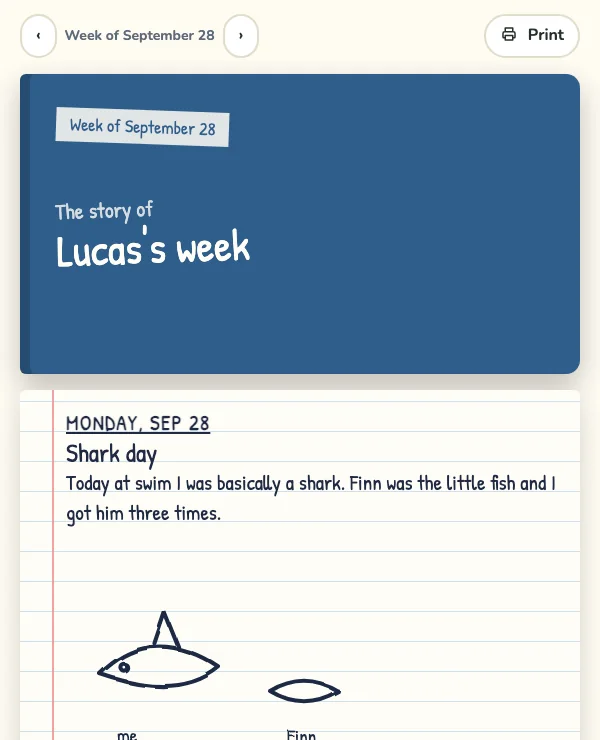
Luchi is built the other way round from a general chatbot: a kid makes things, explains what they made in their own words, and you get a short weekly note built from what they actually said. Not another filter to trust — a parent-facing record of the conversation.
Part of the series: Is AI safe for kids?
Related guides in this series
- Is ChatGPT safe for kids? — A straight answer by age — the risks that actually come up, and the five habits that make AI safe when you do let kids use it.
- Screen time and AI — Not all screen time is equal. Why active, creative AI use is different from passive scrolling — and how to keep your child on the right side of the line.
- What is my kid doing on AI? — You can’t read every transcript. Four checks that take under a minute each, what each one tells you, and the one question a ten-year-old actually answers.
- AI apps a parent can actually monitor — Alert, transcript, or record — three different things sold under one word. What seven products say they show a parent, quoted from their own sites.
- Is Google Gemini safe for kids? — Google’s own page for parents is more candid than the reviews — imperfect filters, stated hallucination, "not a person to confide in". What it says, what it leaves out, and the four decisions that are yours.
- The school Chromebook already has AI on it — A school account is managed by the district, not by your Family Link. Who actually holds the switch, what Google’s own documentation says a student account gets, and five questions worth one email.
- Deepfakes: what to actually teach a 10-year-old — The “look closely, count the fingers” advice has been measured, and it does not work — neither warnings nor money improved anyone’s accuracy. What to teach instead, and why a detector app is not the backstop.
- What to ask at a parent-teacher conference about AI — The list you found ends with “ask how you can help with homework” — the one form of involvement a 50-study meta-analysis found was not associated with achievement. Six questions that are, and what each answer tells you.
- Is Siri the kind of AI parents worry about? — Apple has quietly split Siri in two — its own page now says Apple Intelligence “powers an entirely new version of Siri: Siri AI”. How to tell which one your child is talking to, what Apple keeps, and the settings worth changing tonight.
- A family AI agreement you will actually keep — Twenty clauses, signed on Sunday, dead by Thursday. A four-clause version built on what a 94-test meta-analysis found actually makes a plan start — naming the when and the where — plus the one question to ask each week.
- My child believes everything the AI says — The gap is usually confidence rather than method, and a check is still a looking-up — which across nine experiments left people MORE sure of what they understood. The calibration habit that moves it, in four turns.